Upscale images in seconds. Our AI image upscaler increases resolution, adds realistic detail, and turns small, low-resolution pictures into sharp, high-resolution images automatically — free, no Photoshop or editing skills needed.


AI upscaling that increases resolution and detail while keeping the image looking natural, not artificial.
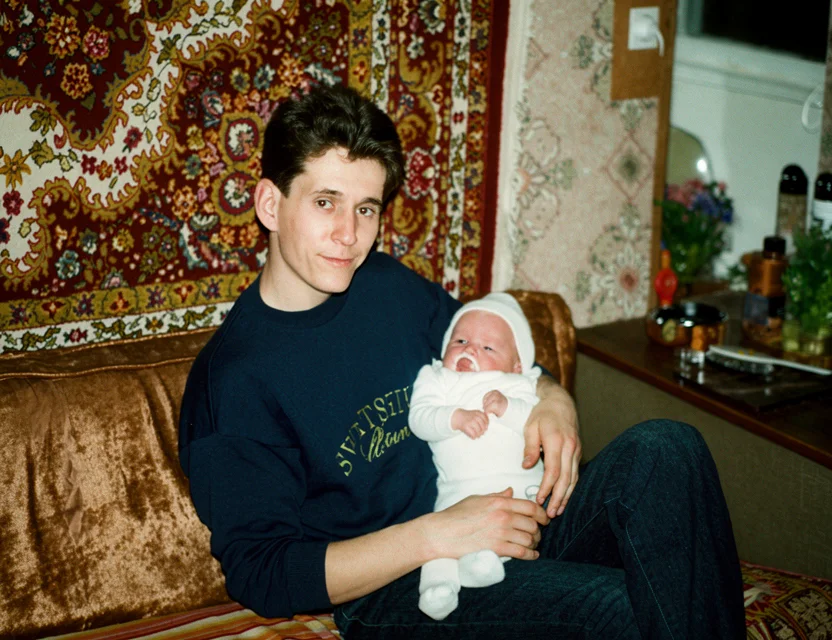 After
After Before
Upscaling matters whenever an image is too small for how you want to use it:
Small digital photos become large enough to print without visible pixels.
Photos from early phones and cameras are rebuilt at modern resolution.
A tight crop of a group photo becomes a usable, sharp portrait.
Messenger-compressed pictures regain resolution and clean edges.
Face detail is reconstructed so enlarged portraits stay natural.
Wallet-size prints upscale into large, frame-worthy images.
Small and low-resolution images are upscaled to higher resolution with more pixels and sharper detail.
AI reconstructs realistic detail and texture as it enlarges, avoiding the blur and jagged edges of basic resizing.
Faces, text, and fine textures stay crisp and natural even at a much larger size.
No editing skills required — just upload an image and get an upscaled, high-resolution result in seconds.
Classic resizing (bicubic interpolation) just stretches the pixels you already have — which is why enlarged images look blurry or blocky. An AI upscaler instead generates the missing pixels: a model trained on millions of low-res/high-res image pairs has learned what textures, edges, hair, fabric, and skin look like at high resolution.
When you upscale an image, the model analyzes each region and synthesizes detail that plausibly matches the scene — sharp edges stay sharp, textures gain realistic fine grain, and text becomes more legible instead of smearing.
Faces get a dedicated reconstruction step so enlarged portraits keep natural features rather than acquiring the melted look cheap upscalers produce. The output is a genuinely high-resolution image you can print, frame, or crop further.
Photograph your old print with your phone
Fine-tune the detected edges if needed
Get your restored photo in seconds
| What it takes | WowPhoto AI app | Photoshop or a paid service |
|---|---|---|
| Added detail | Generates realistic new detail | Stretching pixels only adds blur |
| Faces | Dedicated face reconstruction | Enlarged faces turn soft and blocky |
| Time | Seconds per image | Manual multi-step workflows in desktop tools |
| Cost | First image free | Paid upscaler software or plugins |
An AI image upscaler increases the resolution of a picture — it enlarges the image and reconstructs realistic detail so it stays sharp instead of getting blurry, all automatically.
Yes — you can download the app and upscale your first image for free.
Yes. The AI increases resolution and adds detail to bring small, low-res images up toward 4K. Results are best when the original has some detail to work from.
Basic resizing just stretches the same pixels and looks blurry. AI upscaling reconstructs new realistic detail as it enlarges, so the result stays sharp and clear.
Not at all. Everything is automatic — no Photoshop, no manual editing, and no technical knowledge needed.
Yes — our free app upscales images and increases resolution right on your phone, with no Photoshop or computer needed.
The app increases resolution several times over the original — small, low-resolution photos come out large enough for prints and big screens, up to 4K-class output depending on the source.
No — that’s the difference from simple resizing. The AI generates real detail as it enlarges, so edges and textures get sharper, not softer. Blur and pixelation in the original are cleaned in the same pass.
Yes, that’s one of the most common uses: photograph or pick an old picture, let the AI restore and upscale it, and the result is sharp enough to print and frame.
Photos are uploaded over an encrypted connection and processed only to create your restoration. We never post your pictures publicly, never use them for advertising, and a result is shared only if you choose to share it. Restorations live in your personal in-app gallery, and you stay in control of every photo.
Download the app and get your first restoration for free.