Turn black and white photos into color in seconds. Our AI colorizer adds realistic, lifelike colors to old and faded B&W pictures automatically — no Photoshop or editing skills needed.


We add natural, period-accurate colors while preserving the original detail and authentic feel of your photo.
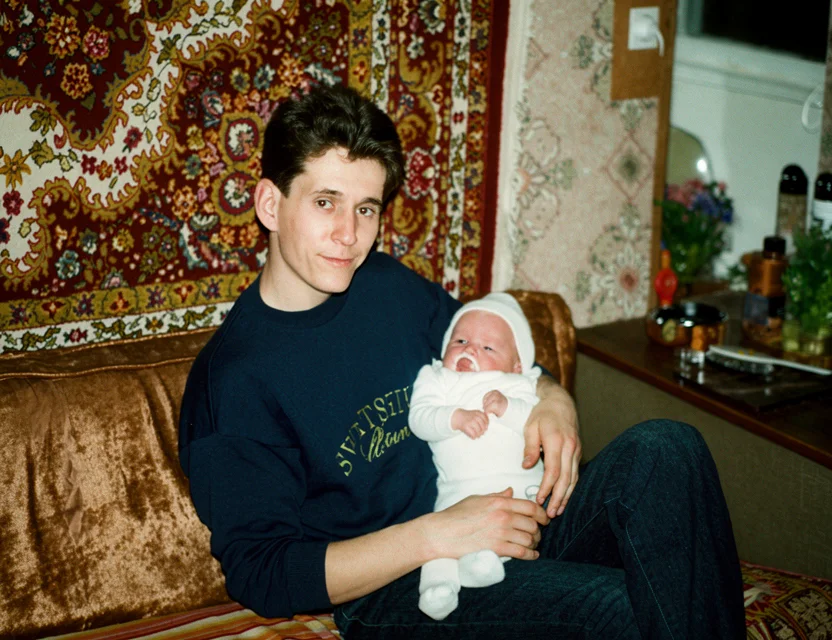 After
After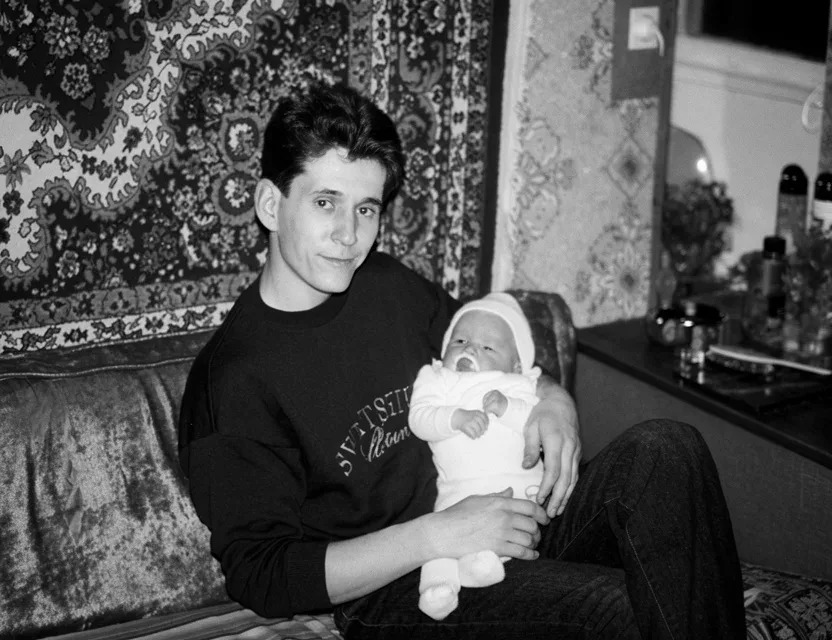 Before
Colorizing is more than painting over a black and white picture — the AI reads the scene and chooses colors that fit it:
Faces get realistic skin tones matched to lighting, age, and exposure of the shot.
Clothing and objects receive colors that are plausible for the era of the photo.
Sky, foliage, wood, and fabric are recognized and colored differently — not one flat tint.
True black and white, sepia-toned, and yellowed prints can all be colorized.
Scratches, spots, and blur can be repaired together with colorization.
Color is added on top of the existing detail — nothing is redrawn or replaced.
AI predicts natural skin tones, skies, clothing, and surroundings to colorize black and white photos convincingly.
Convert old, faded, and vintage black and white prints to full color automatically — no manual painting.
Damaged and scratched black and white photos are repaired and colorized in one step for a clean result.
No editing skills required — just upload a black and white photo and get a colorized result in seconds.
A colorization model is trained on millions of color photographs that were converted to black and white. By comparing its colorized guess against the real colors, the AI learns which shades belong to skies, skin, grass, brick, and fabric — and how lighting changes them.
When you colorize an old photo, the model segments the scene into regions it recognizes, predicts a plausible color for each, and blends them along real edges of the picture, so color doesn’t bleed across outlines. Faces get special attention: skin, lips, hair, and eyes are colored separately for a lifelike result.
Colors of unknowable things — the exact shade of a dress, a car’s paint — are the model’s best plausible guess, not a historical record. That’s true of every colorizer; the AI aims for natural and believable, and in practice most photos come out looking the way memory says they should.
Photograph your old print with your phone
Fine-tune the detected edges if needed
Get your restored photo in seconds
| What it takes | WowPhoto AI app | Photoshop or a paid service |
|---|---|---|
| Time per photo | Seconds, fully automatic | Hours of layer-by-layer hand-coloring |
| Cost | First photo free | Colorization services charge per image |
| Skills needed | None — one tap | Photoshop masking and color-grading experience |
| Consistency | Scene-aware, realistic palette every time | Depends entirely on the retoucher’s skill |
Upload your black and white photo and the AI automatically adds realistic colors in seconds — no manual editing required.
Yes — you can download the app and colorize your first photo for free.
The AI is trained to predict natural, lifelike colors for skin, skies, clothing, and backgrounds. Results look realistic, though exact original colors can't always be known.
Yes. Old, faded, and vintage black and white photos are colorized, and faded detail is enhanced at the same time.
Yes — scratches, tears, and other damage are repaired and the photo is colorized in a single step.
Not at all. Everything is automatic — no Photoshop, no manual retouching, and no technical knowledge needed.
Yes. Sepia-toned and age-yellowed prints are normalized first, then colorized — the AI treats them the same way as true black and white photos.
No. Colorization adds color on top of the existing detail; faces, outlines, and textures stay exactly where they were. If the print is also damaged, you can repair and colorize in the same pass.
It has learned from millions of real color photos which shades belong to skin, sky, foliage, and materials in different lighting. For things it cannot know — like the true color of a coat — it picks the most plausible natural shade.
Photos are uploaded over an encrypted connection and processed only to create your restoration. We never post your pictures publicly, never use them for advertising, and a result is shared only if you choose to share it. Restorations live in your personal in-app gallery, and you stay in control of every photo.
Download the app and get your first restoration for free.